Most businesses do not struggle to collect data. The real challenge is making sense of it. Sales figures are stored in one system, customer information in another and financial reports somewhere else. When data is spread across different applications, getting a clear view of business performance becomes difficult.
That is where Business Intelligence platforms make a difference. They bring data together from different sources and present it through dashboards, reports and visualizations that are easy to understand. Instead of spending hours combining spreadsheets or creating reports manually, teams can access reliable information to make faster, more informed decisions.
Choosing the right Business Intelligence platform is not as simple as selecting the most popular product. Every business has different reporting needs, technology environments and growth plans. A platform that works well for one organization may not be the right fit for another.
This guide explains what a Business Intelligence platform does, what to consider before choosing one and how the leading platforms compare.
What Does a Business Intelligence Platform Do?

In simple terms, a Business Intelligence platform helps businesses turn raw data into useful information that supports better decisions. Instead of reviewing separate reports from different departments, users can access one place that provides a clear view of business performance.
A modern BI platform usually performs four important functions.
Bringing Your Data Together
data is often spread across CRM systems, ERP software, accounting applications, databases and cloud services. A Business Intelligence platform connects these systems and brings the information together, giving decision-makers a complete view of the business without switching between multiple applications.
Preparing Data for Reporting
Business data is rarely perfect. Duplicate records, missing values and inconsistent formats can affect reporting accuracy. A good BI platform helps prepare and organize data before it appears in dashboards, making reports more reliable and easier to trust.
Turning Data into Clear Visual Reports
Large spreadsheets can make it difficult to identify trends. Business Intelligence reporting tools present information through dashboards, charts and graphs, allowing users to understand performance quickly and monitor key business metrics without sorting through rows of raw data.
Supporting Better Business Decisions
A Business Intelligence platform helps organizations monitor performance, identify trends and make informed business decisions using accurate, up-to-date data.
What to Check Before You Choose a BI Platform
Choosing a Business Intelligence platform is about finding the right fit for your business. It should support your business goals, connect with your existing systems and be easy for your teams to use. Before making a decision, consider these key factors.
Where Your Data Lives
Before you compare vendors, list every system your business uses. This could include your CRM, ERP, accounting software, eCommerce platform, spreadsheets or cloud applications. A platform that connects smoothly with all these systems reduces manual work and gives you a complete view of your business.
Will Your Team Actually Use It?
Many BI projects fail because the platform is too difficult for everyday users. Even the most advanced Business Intelligence software will not deliver value if only data analysts can use it.
Managers, sales teams and department heads should be able to create reports, explore dashboards and answer business questions without relying on IT. Platforms that support self-service BI improve adoption by making data more accessible and reducing pressure on technical teams.
Does Everyone See the Same Numbers?
It is common for different departments to report different figures for the same business metric. Sales, finance and marketing may use different calculations, creating confusion.
A Business Intelligence platform provides a single source of truth by using consistent business rules and shared metrics across dashboards and reports. This helps teams work with the same information and make informed decisions.
How Much Does the AI Actually Do?
Almost every Business Intelligence platform now includes AI features, but the experience varies. Some platforms add a chatbot, while others identify trends, explain changes and generate useful summaries.
When comparing platforms, focus on how AI improves reporting and decision-making rather than marketing claims.
Is It Secure and Compliant?
Business Intelligence platforms often manage sensitive financial, operational and customer data. Security should never be an afterthought.
Look for features such as role-based access, data encryption, audit logs and compliance with industry standards. Reviewing these features before implementation helps protect your data.
Will It Still Work as You Grow?
Your reporting needs will change as your business expands. More users, larger datasets and additional business applications place greater demands on a BI platform.
Choose a platform that can scale with your organization without affecting performance.
What Does It Really Cost?
The software license is only one part of the total investment. You should also consider implementation, training, customization, ongoing support and future upgrades.
A lower upfront cost does not always mean better value. A platform with a higher initial investment may cost less over time if it is easier to manage and support.
Cloud, On-Site or Both?
Some businesses prefer cloud-based analytics because they are easier to deploy and maintain. Others need on-premises or hybrid environments to meet security, compliance or operational requirements.
Before choosing a platform, make sure it supports the deployment model your business needs today and as it grows.
How the Top BI Platforms Compare in 2026
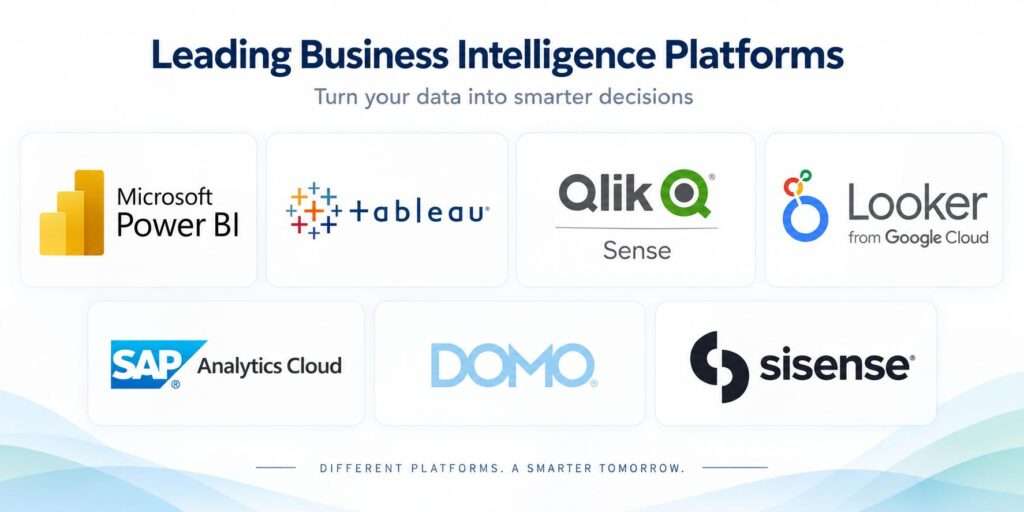
Choosing the right Business Intelligence platform is easier when you understand what each solution does best. Every platform has its own strengths, making some better suited for small businesses while others are designed for large enterprises with complex reporting needs.
Microsoft Power BI
Microsoft Power BI is a popular choice for businesses using Microsoft products such as Excel, Microsoft 365, Azure and Dynamics 365. It offers interactive dashboards, AI-powered insights and seamless integration, making it a scalable solution for businesses of all sizes.
Tableau
Tableau is known for its powerful data visualization and interactive dashboards. It helps businesses identify trends, compare performance and share insights clearly. Tableau works best with clean, well-prepared data and is a popular choice for organizations that need advanced visual analytics.
Qlik Sense
Qlik Sense is a strong choice for businesses that work with data from multiple systems. Its associative analytics engine helps users discover relationships between datasets, while self-service analytics allows business users to explore data without relying on technical teams.
Looker
Part of Google Cloud, Looker helps organizations create consistent reports by using a centralized data model. This ensures that every department works with the same business metrics, reducing confusion and improving reporting accuracy.
Looker is a good fit for businesses already using Google Cloud technologies and looking for a modern cloud-based analytics platform.
SAP Analytics Cloud
SAP Analytics Cloud combines Business Intelligence, planning and predictive analytics in one platform. It supports reporting, budgeting and forecasting from a single environment.
Businesses using SAP applications often choose SAP Analytics Cloud because it integrates with their existing systems and supports financial and operational planning.
Domo
Domo is a cloud-based Business Intelligence platform designed to bring data, dashboards and reporting together in one place. It connects with a wide range of business applications, helping organizations monitor performance in real time.
Its mobile-friendly dashboards also allow business leaders to access important insights wherever they are.
Sisense
Sisense is known for embedded analytics, allowing businesses to integrate dashboards and reports directly into applications or customer portals. It is a strong choice for software companies and organizations that deliver analytics as part of their products or services.
There is no single Business Intelligence platform for every business. The right choice depends on your existing systems, reporting needs, budget and the people who will use it. Evaluating these factors will help you choose the right platform.
Common Mistakes to Avoid
Even the best Business Intelligence platform may not deliver the expected results if the selection process is rushed. Avoid these common mistakes before making your investment.
- Choosing a platform based on popularity instead of business needs.
- Expecting dashboards to fix poor data quality.
- Paying for features your teams are unlikely to use.
- Rolling out the platform without testing it with a smaller group.
- Spending too little time on user training.
- Focusing only on the software price instead of the total cost of ownership.
- Ignoring future business growth when choosing a platform.
How Technoforte Helps You Get More Value from Your Business Intelligence Platform
Choosing the right Business Intelligence platform is only the first step. To get the best results, it must be implemented correctly and connected to the right business data.
At Technoforte, we help businesses implement Business Intelligence solutions that turn data into meaningful insights. We integrate data from ERP systems, CRM platforms, finance applications and other business systems to create a reliable source of information. With interactive dashboards, real-time reporting and advanced analytics, businesses can monitor performance and make informed decisions.
Our Business Intelligence services include:
- Business Intelligence consulting and strategy
- Dashboard and report development
- Data integration
- Self-service BI implementation
- Embedded analytics
- BI platform modernization and support
Whether you are implementing your first Business Intelligence platform or upgrading an existing reporting environment, Technoforte helps you build a solution that delivers measurable business value and supports future growth.
Conclusion
Choosing the right Business Intelligence platform is about finding a solution that fits your business, supports your teams and delivers reliable insights. By evaluating your reporting needs, existing systems, scalability and long-term costs, you can choose a platform that creates lasting business value.
Whether you choose Microsoft Power BI, Tableau, Qlik Sense, Looker, SAP Analytics Cloud, Domo or another BI solution, the right platform should support your business today and grow with your future needs. Contact Technoforte to discuss your Business Intelligence requirements and discover the right analytics solution for your business.
Frequently Asked Questions
- What is the best BI platform for a small business?
There is no single best Business Intelligence platform for every small business. The right choice depends on your budget, reporting needs, existing systems and future growth. Microsoft Power BI is a popular option because it is affordable, easy to use and integrates well with Microsoft applications.
- How long does it take to set up a BI platform?
The implementation timeline depends on your business size and reporting needs. A small implementation may take a few weeks, while a company-wide deployment with data integration, customization and user training can take several months.
- Do I need a technical team to run a BI platform?
Not always. Many modern Business Intelligence platforms support self-service BI, allowing business users to create dashboards and reports without advanced technical skills. However, technical support is still needed to manage data integration, security and platform administration.